
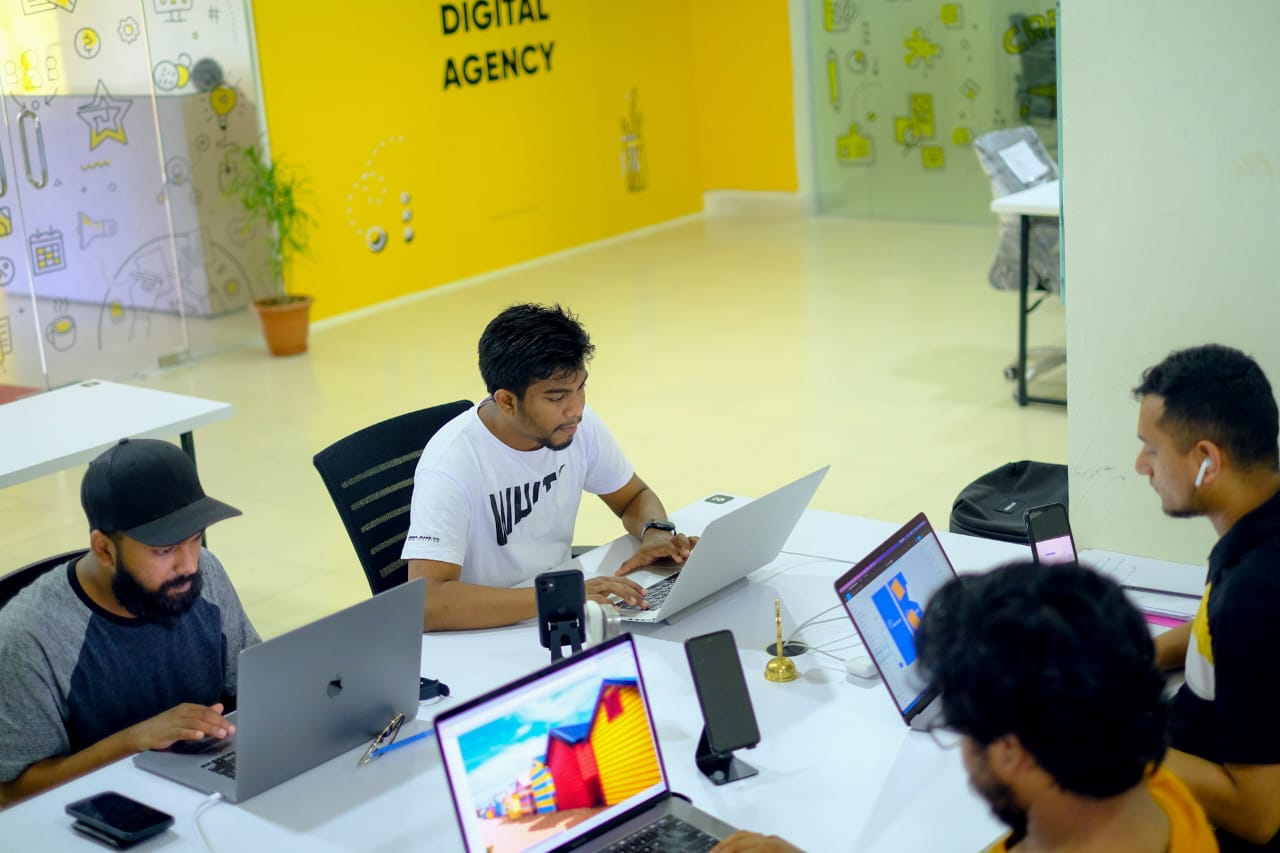
Introduction
Technology is changing how people learn, communicate, work, and conduct business. From mobile applications and online banking to artificial intelligence and cybersecurity, technology supports many of the services people use every day.
For students, this creates opportunities to develop practical skills that can be useful in employment, entrepreneurship, freelancing, and further education. However, choosing a technology career can be confusing, especially for beginners who are unsure which skills to learn, what qualifications they need, or how to gain experience.
The good news is that you do not need to master every technology skill to begin. A better approach is to understand the available career paths, identify your interests, and build relevant skills through structured learning and practical projects.
This guide explores 12 technology careers students can consider, the skills associated with each path, useful learning resources, and practical steps for preparing for a technology-related career.
Why Should Students Consider a Career in Technology?
Technology careers can offer several advantages, although the opportunities available to each person depend on their skills, experience, location, and the needs of employers.
1. Opportunities to Solve Real Problems
Technology professionals help individuals, businesses, schools, hospitals, and governments solve practical problems. They may develop software, protect computer systems, analyse information, improve websites, or maintain digital infrastructure.
2. Different Entry Points
Technology is a broad field. Students who enjoy logical problem-solving may prefer programming or data analysis, while those interested in visual creativity may explore user interface design or digital content.
Some roles require university degrees or professional qualifications, while others may allow beginners to demonstrate their ability through practical projects, recognised certifications, and relevant experience.
However, completing a short course alone does not guarantee employment.
3. Opportunities for Continuous Learning
Technology changes frequently, so professionals must continue learning throughout their careers. Students who develop strong learning habits and problem-solving abilities can build on their knowledge as tools and industry requirements change.
4. Potential for Different Work Arrangements
Some technology professionals work in offices, others work remotely, and some operate as freelancers or business owners. These arrangements depend on the role, employer, client requirements, experience, and available opportunities.
Remote work should not be treated as an automatic benefit of learning a technology skill. Beginners usually need to demonstrate their competence before competing successfully for remote positions.
12 Technology Careers Students Can Explore
The following career paths offer different combinations of technical, analytical, creative, and communication skills. Students should compare them carefully before choosing where to concentrate their learning efforts.
1. Software Development
Software developers design, build, test, and maintain computer programs and applications. Their work may involve mobile applications, business software, websites, or systems that help organisations perform specific tasks.
Essential Skills
- Programming fundamentals.
- Problem-solving and logical thinking.
- Debugging and testing.
- Version control using tools such as Git.
- Understanding how software is designed and maintained.
How Students Can Get Started
Beginners can start with one programming language, such as Python or JavaScript. They should learn basic concepts before attempting more complicated applications.
After understanding the fundamentals, students can build small projects, such as a calculator, a personal expense tracker, or a simple task-management application. These projects help learners practise what they have studied and demonstrate their progress.
Useful learning resources include the official Python Tutorial, MDN Web Development Learning Area, and GitHub Skills.
2. Web Development
Web developers create and maintain websites and web applications. Depending on their specialisation, they may focus on the parts users see, the systems operating behind a website, or both.
Essential Skills
- HTML for structuring web pages.
- CSS for styling and layout.
- JavaScript for interactive features.
- Responsive design for different screen sizes.
- Basic accessibility, testing, and web security principles.
How Students Can Get Started
Start by learning HTML and CSS, then progress to JavaScript. Build a personal portfolio website, a simple school information page, or a responsive landing page.
Once the fundamentals are clear, explore how websites connect to servers, databases, and application programming interfaces (APIs).
Students can practise using MDN’s Web Development Learning Area. It provides structured material for learners who want to understand web technologies.
3. Cybersecurity
Cybersecurity professionals help protect computers, networks, applications, and information from unauthorised access, attacks, and other digital threats.
Their responsibilities vary. Some investigate security incidents, others assess vulnerabilities, monitor systems, manage access controls, or help organisations improve their security practices.
Essential Skills
- Computer and networking fundamentals.
- Operating-system knowledge.
- Security awareness and risk assessment.
- Basic scripting and command-line skills.
- Log analysis, documentation, and problem-solving.
How Students Can Get Started
Learn how computers communicate over networks and how operating systems manage files, users, and permissions. Then study security fundamentals and practise in authorised training environments.
Students should not attempt to access another person’s device, account, or network without permission. Practical cybersecurity learning must take place within legal and authorised environments.
Useful starting points include Cisco Networking Academy and its Networking Basics course.
Cybersecurity is not limited to hacking. Communication, attention to detail, documentation, and understanding business risks are also important.
4. Data Analysis
Data analysts examine information to identify patterns, answer questions, and support decision-making. They may work with sales records, customer behaviour, financial information, educational data, or operational reports.
Essential Skills
- Spreadsheet tools.
- Data cleaning and organisation.
- Basic statistics.
- SQL for working with databases.
- Data visualisation and reporting.
- Clear communication of findings.
How Students Can Get Started
Begin with spreadsheet formulas, sorting, filtering, and charts. Next, learn basic statistics and practise answering questions with small datasets.
As your skills improve, explore SQL and a visualisation tool. Create a project that analyses a publicly available dataset and explains the findings in plain language.
Microsoft Learn provides structured technical learning, while Kaggle Learn offers practical introductory lessons in data-related topics.
5. Artificial Intelligence and Machine Learning
Artificial intelligence (AI) involves developing or using systems that perform tasks associated with capabilities such as recognising patterns, generating content, making predictions, or interpreting language.
Machine learning is a branch of AI in which systems learn patterns from data. Professionals in this area may develop models, prepare datasets, evaluate performance, or integrate AI capabilities into applications.
Essential Skills
- Mathematics and statistics.
- Programming, commonly using Python.
- Data preparation and analysis.
- Understanding model evaluation.
- Critical thinking about reliability, privacy, and bias.
How Students Can Get Started
Students should first develop a foundation in programming, mathematics, and data analysis. They can then explore introductory machine-learning lessons and experiment with small, well-defined projects.
It is useful to understand both what AI tools can do and where they can fail. AI-generated information can be inaccurate, biased, or incomplete, so outputs must be checked before being used for important decisions.
AI is a broad field, and many specialised roles require substantial mathematical knowledge, practical experience, or advanced study. Beginners can start with introductory courses without assuming that a short course will qualify them for an AI engineering position.
Useful resources include Kaggle Learn and Microsoft Learn.
6. Cloud Computing
Cloud computing involves using computing resources—such as servers, storage, databases, and software—through services provided over a network.
Cloud professionals may help organisations deploy applications, manage infrastructure, control access, monitor costs, or maintain reliable systems.
Essential Skills
- Networking fundamentals.
- Operating-system and command-line knowledge.
- Cloud service concepts.
- Identity and access management.
- Basic security and troubleshooting.
- Understanding costs and resource management.
How Students Can Get Started
Learn basic networking and operating-system concepts before moving to cloud platforms. Then explore introductory material from major providers and practise with suitable learning environments.
Students should pay attention to billing and free-tier conditions. Some cloud services can generate charges, so check the pricing terms and set spending safeguards where available before creating resources.
Useful resources include AWS Skill Builder, Google Cloud Training, and Microsoft Learn.
7. DevOps and Site Reliability Engineering
DevOps combines practices that help software development and IT operations teams deliver and maintain applications more efficiently. Site reliability engineering, often called SRE, focuses on reliability, monitoring, automation, and managing the performance of services.
These areas can involve building automated deployment processes, managing infrastructure, monitoring applications, and responding to technical incidents.
Essential Skills
- Linux and command-line fundamentals.
- Networking.
- Git and version control.
- Scripting and automation.
- Continuous integration and continuous delivery (CI/CD).
- Containers, monitoring, and cloud infrastructure.
How Students Can Get Started
Build a foundation in Linux, networking, and Git. Learn how applications are deployed and how developers test and release software.
After gaining those fundamentals, explore a basic CI/CD workflow and containerisation. Keep notes about what each tool does rather than memorising commands without understanding their purpose.
DevOps and SRE are not usually the easiest starting points for someone with no technical foundation. A student can explore the field early, but becoming effective often requires experience with software, systems, or infrastructure.
8. IT Support and Networking
IT support professionals help users resolve computer, software, connectivity, and account-access problems. Network professionals configure, maintain, and troubleshoot the systems that allow devices and services to communicate.
These roles can provide a practical foundation for further development in systems administration, cloud computing, and cybersecurity.
Essential Skills
- Computer hardware and operating systems.
- Network fundamentals.
- Troubleshooting and problem-solving.
- User accounts and permissions.
- Basic security practices.
- Customer service and technical documentation.
How Students Can Get Started
Learn how computer components work, practise common operating-system tasks, and study networking concepts such as IP addresses, routers, DNS, and connectivity troubleshooting.
Students can build a home lab using equipment they own or suitable virtual environments. They should document each exercise and explain how they diagnosed and resolved a problem.
Cisco Networking Academy is a useful starting point for networking and related technical subjects.
9. UI/UX Design
User interface (UI) design focuses on the visual and interactive elements of digital products. User experience (UX) design considers how people use those products and whether the experience is understandable, efficient, and accessible.
UI/UX designers may work on websites, mobile applications, dashboards, and other digital services.
Essential Skills
- Layout, typography, and visual hierarchy.
- User research and understanding user needs.
- Wireframing and prototyping.
- Usability testing.
- Accessibility and inclusive design.
- Clear presentation and communication.
How Students Can Get Started
Learn the principles of design and practise creating wireframes before designing detailed interfaces. Choose a common problem, such as making a school timetable easier to use, and design a simple solution.
Ask people to test your design and observe where they struggle. Explain what you changed based on their feedback.
Figma’s learning resources can help beginners explore digital design and prototyping.
10. Digital Marketing and Search Engine Optimisation
Digital marketers help organisations reach audiences through online channels. Depending on their role, they may manage search engine optimisation (SEO), content, social media, email campaigns, paid advertising, or performance reporting.
SEO specialists focus on improving a website’s visibility in relevant search results, while digital marketing professionals may manage several channels together.
Essential Skills
- Audience and keyword research.
- Content planning and writing.
- Search engine optimisation fundamentals.
- Analytics and performance measurement.
- Understanding advertising platforms.
- Ethical marketing and clear communication.
How Students Can Get Started
Create a simple website, blog, or practice campaign and learn how to identify an audience, develop useful content, and measure performance.
Students can explore how search intent, page structure, useful content, and website usability affect a digital project. They should avoid misleading claims, copied content, and artificial traffic schemes.
Google Skillshop offers training for Google’s advertising and related products. Learners should check the specific course details to understand whether it is free and whether a certificate or assessment is available.
11. Graphic Design and Digital Content Creation
Graphic designers and digital content creators produce visual materials for communication, education, marketing, and entertainment. Their work may include posters, presentations, social media graphics, illustrations, and brand assets.
Some professionals specialise in visual design, while others combine design with video editing, animation, writing, or content strategy.
Essential Skills
- Visual communication.
- Colour, typography, and composition.
- Image and layout editing.
- Understanding audience needs.
- Creative problem-solving.
- Portfolio development and client communication.
How Students Can Get Started
Practise by creating original designs for imaginary or real projects. For example, design a school event poster, an educational infographic, or a short presentation.
A portfolio should show the student’s best work and explain the purpose of each project. Students should also learn about copyright, licensing, and the proper use of images, fonts, and other creative assets.
This path may suit learners who enjoy visual expression and communication more than programming, although digital design still requires technical and analytical thinking.
12. Game Development
Game developers create interactive games for computers, mobile devices, consoles, and other platforms. Depending on their specialisation, they may work on programming, level design, animation, sound, testing, or game mechanics.
Essential Skills
- Programming or visual scripting.
- Logical thinking and problem-solving.
- Game design principles.
- Basic mathematics and physics, depending on the role.
- Testing and debugging.
- Collaboration and creative communication.
How Students Can Get Started
Start with a beginner-friendly game engine and build a small project, such as a simple puzzle or two-dimensional game. Focus on completing a playable project rather than beginning with an ambitious game that is difficult to finish.
Unity Learn provides learning resources for people exploring game development.
Game development can be competitive, and career opportunities vary by location and specialisation. A small portfolio of completed projects can help demonstrate practical ability, but it does not guarantee employment.
Essential Skills That Can Help Students Across Technology Careers
Although the career paths differ, some skills are useful in many technology roles.
1. Problem-Solving
Technology professionals regularly investigate problems, test possible solutions, and learn from mistakes. Students can practise by breaking a large task into smaller steps and explaining how they reached a solution.
2. Communication
Technical knowledge is more useful when people can explain it clearly. Students should practise writing instructions, documenting projects, asking precise questions, and presenting their findings to non-technical audiences.
3. Digital Literacy
Students should understand basic computer operations, online safety, file management, collaboration tools, and responsible use of digital information.
4. Adaptability and Continuous Learning
Tools and professional expectations change. Students should learn how to read documentation, evaluate new information, and update their skills instead of depending entirely on one tool or course.
5. Project Management and Teamwork
Many technology projects involve deadlines, shared responsibilities, and collaboration. Learning to plan tasks, track progress, receive feedback, and work with others can improve a student’s readiness for professional environments.
6. Ethical and Responsible Technology Use
Technology professionals may handle personal data, business information, or systems that affect other people. Respecting privacy, obtaining permission, protecting information, and understanding the consequences of technical decisions are essential responsibilities.
How Students Can Choose the Right Technology Career
Not every technology career suits every student. The most appropriate path depends on interests, current knowledge, available resources, and long-term goals.
Step 1: Identify Your Interests
Ask yourself what you enjoy doing. Do you like solving logical problems, analysing information, creating visual designs, helping people resolve computer issues, or explaining ideas through content?
Your answers can help you identify promising areas to explore.
Step 2: Assess Your Current Skills
List the skills you already have and those you need to develop. A student with strong writing and research skills may find digital marketing or technical writing interesting, while someone who enjoys mathematics may want to explore data analysis or machine learning.
Your existing strengths are a starting point, not a permanent limitation.
Step 3: Research Actual Job Requirements
Look at real job descriptions for entry-level roles in your target field. Compare the qualifications, tools, experience, and responsibilities employers commonly request.
Do not choose a career based only on social media claims about salaries or quick employment. Research the opportunities available in your preferred location and the requirements for competing successfully.
Step 4: Try a Beginner Course
Choose one introductory course and complete it. Avoid enrolling in many unrelated courses at the same time.
The purpose of a beginner course is to help you understand the field and decide whether you want to continue learning.
Step 5: Build a Small Project
Apply your knowledge to a practical task. A project could be a basic website, a data report, a design prototype, a documented networking exercise, or a simple program.
A project helps you discover what you understand and where you need more practice.
Step 6: Review Your Progress
After completing the course and project, assess whether you enjoyed the work and whether you want to pursue more advanced learning. If the field does not suit you, explore a related path using what you have learned.
A Practical 90-Day Technology Learning Plan for Students
Students who are unsure how to begin can use the following plan as a starting framework. Adjust the pace to suit your school workload, internet access, available equipment, and prior experience.
Days 1–30: Explore and Learn the Fundamentals
- Research two or three technology careers.
- Select one area to explore first.
- Find a beginner course from a reputable provider.
- Study consistently and take notes.
- Practise basic exercises instead of only watching lessons.
Goal: Understand the field’s fundamental concepts and decide whether to continue.
Days 31–60: Practise and Build
- Continue with the chosen course.
- Practise using the relevant tools.
- Create a small project.
- Record errors, solutions, and lessons learned.
- Ask for feedback from a teacher, mentor, or knowledgeable community.
Goal: Apply the knowledge to a practical task.
Days 61–90: Complete and Present Your Work
- Finish and improve your project.
- Document what you built and how it works.
- Publish or present the work where appropriate and safe.
- Update your CV or portfolio with accurate information.
- Identify the next skill you need to learn.
Goal: Produce evidence of learning and establish a clear next step.
This plan does not guarantee employment or professional competence within 90 days. Its purpose is to help beginners move from passive learning towards structured practice.
Free and Accessible Resources for Learning Technology Skills
The following resources can help students begin learning without immediately committing to an expensive training programme.
- Microsoft Learn: Technical learning paths covering Microsoft technologies and other technical subjects.
- MDN Web Development: Learning materials for HTML, CSS, JavaScript, and web development.
- Python Documentation: A tutorial for learning Python, particularly useful once you have some familiarity with programming concepts.
- GitHub Skills: Practical exercises for learning GitHub workflows and related development skills.
- Cisco Networking Academy: Learning opportunities in networking, cybersecurity, and other technical areas.
- Kaggle Learn: Practical introductory lessons related to data, programming, and machine learning.
- AWS Skill Builder: Training resources for Amazon Web Services and cloud computing.
- Google Cloud Training: Learning resources for Google Cloud technologies.
- Figma Resource Library: Design learning resources useful for people exploring digital interfaces.
- Unity Learn: Learning materials for people interested in game development.
- Google Skillshop: Training for Google products, including advertising-related tools.
Course access, practical lab availability, assessment requirements, and certificates vary by provider. Review each course’s current terms before enrolling.
Common Mistakes Students Should Avoid When Learning Technology
1. Learning Too Many Skills at Once
Jumping between programming, cybersecurity, data analysis, and design can make it difficult to develop a strong foundation.
Choose one primary learning path first. You can explore related areas after establishing basic competence.
2. Collecting Certificates Without Practising
Certificates may demonstrate that you completed a course or passed an assessment, but they do not automatically prove that you can perform a job.
Combine structured learning with practical exercises and projects.
3. Expecting Quick Income
Some online content suggests that a student can learn a technology skill in a few weeks and immediately earn a high income. This is not a reliable expectation.
Building employable skills takes time, practice, feedback, and often relevant experience. Income varies according to skill level, demand, location, competition, and the ability to find suitable clients or employers.
4. Ignoring Fundamental Concepts
Learning commands or copying code without understanding the underlying concepts can make troubleshooting difficult.
Focus on understanding why a tool works, what problem it solves, and how to recognise errors.
5. Neglecting Communication and Documentation
Technical ability alone may not be sufficient. Employers and clients also value people who can explain decisions, document work, collaborate, and respond professionally to feedback.
6. Using Unsafe or Unauthorised Practice Environments
Students exploring cybersecurity or system administration should use their own equipment, authorised labs, or environments where they have explicit permission to practise. Curiosity is not permission to access another person’s systems.
Conclusion
Technology offers students several possible career paths, including software development, web development, cybersecurity, data analysis, cloud computing, DevOps, IT support, UI/UX design, digital marketing, digital content creation, artificial intelligence, and game development.
The best starting point is not necessarily the career that sounds most popular or promises the highest salary. It is the path that matches your interests, gives you room to develop useful skills, and offers realistic opportunities to practise and demonstrate your abilities.
Start with one field, learn its fundamentals, complete a practical project, and review your progress. Use reputable learning resources, research real job requirements, and develop communication, problem-solving, and ethical working habits alongside your technical skills.
Most importantly, treat technology learning as a process of building capability rather than collecting certificates. Consistent practice and demonstrable work can help you make more informed decisions about your future education and career.
OFFICIAL LINKS TO EXPLORE
World Economic Forum — Future of Jobs Report 2025
US Bureau of Labor Statistics — Software Developers